🚧 Buildingby Aurélien Rommelaere
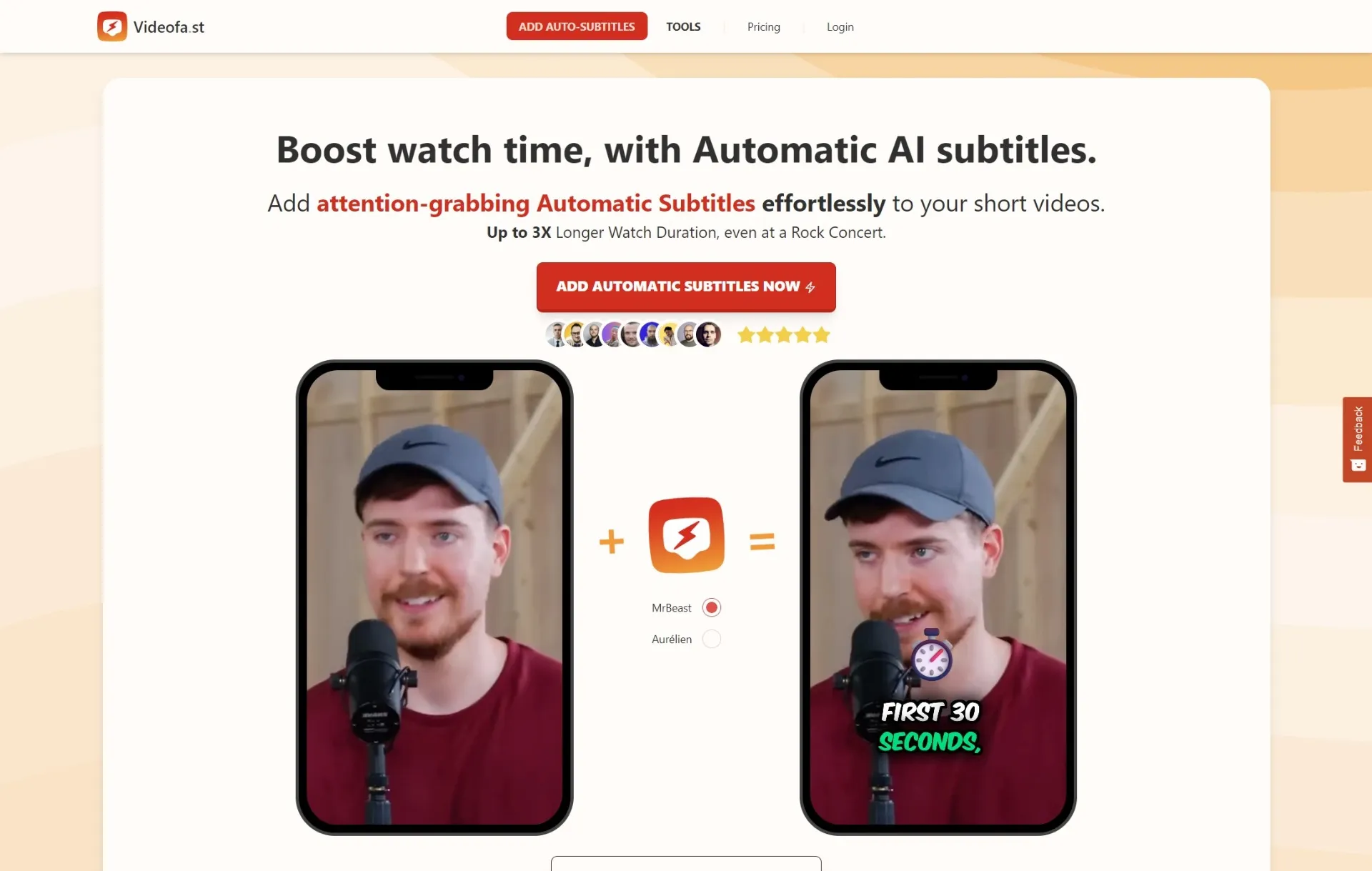
Add nice automatised subtitles to your short videos 🔥
✅ Added visible Pricing button on mobile screen navbar
✅ Fixed Upload popup with hidden button for large window having small height
✅ Improved Play Trim/Reset Trim on upload video modal
✅ Moved "Replace Word" & "Remove Punctuation" buttons under a new "Quick Actions" menu
✅ New "Fix separated punctuation" feature
✅ Improved Pricing page UI with more features displayed
✅ New Replace Word and Remove Punctuation features
✅ Improved and updated all the landing pages
✅ Added new AI Voiceover landing pages
✅ Improved Pricing page UI
✅ New monthly credit-based system (so you can now really spend based on your needs!)
💡 This is a necessary step for a more practical usage for the near-future AI Video generation systems
✅ Improxed videos list UX on mobile
✅ Added Upgrade button on navbar on Free tier
✅ Added CTA UI on Upload navbar button
✅ Improved credits button UI on navbar
✅ Improved Navbar menu on mobile and small screens
✅ Added Icon on Get Started navbar button
✅ Improved Login & Register pages with show/hide password buttons and real time password validation
✅ Improved captions Y position and fontSize by % from video width for better compatibility with any video dimension
✅ Improved and simplified the Caption Video Editor UX
✅ Added Tooltips over "Preview Quality" and "Show Social Safe Zone" buttons
✅ Renamed emoji 'HC' theme to 'Outlined Shape'
✅ Added vertical captions settings near the video player for better portrait mode UX
✅ Added position/zoom/rotation settings to B-Rolls
✅ Better B-Roll compatibility for any video ratio
✅ Improved Pexels video preview and selection
✅ Improved UX/UI on AI Voice selection step
✅ Added language suggestions on AI Voiceover mode
✅ Added Select public Pexel Videos for Generate AI Voiceover mode
✅ Improved original streaming video compatibility to interact and load much faster on the caption editor and during rendering
✅ New Creator Plan for 100 videos/month!
✅ Improved default words grouping system
🔥 Video Color Updates! 👇
✅ Automatic color optimization:
All newly uploaded videos are now automatically converted to Rec.709 (bt709 SDR) for perfect color consistency across all browsers and platforms.
✅ New “Filters” panel:
Easily fine-tune contrast, hue, saturation, brightness, and more, even after the bt709 conversion, so your videos look exactly how you want before rendering!
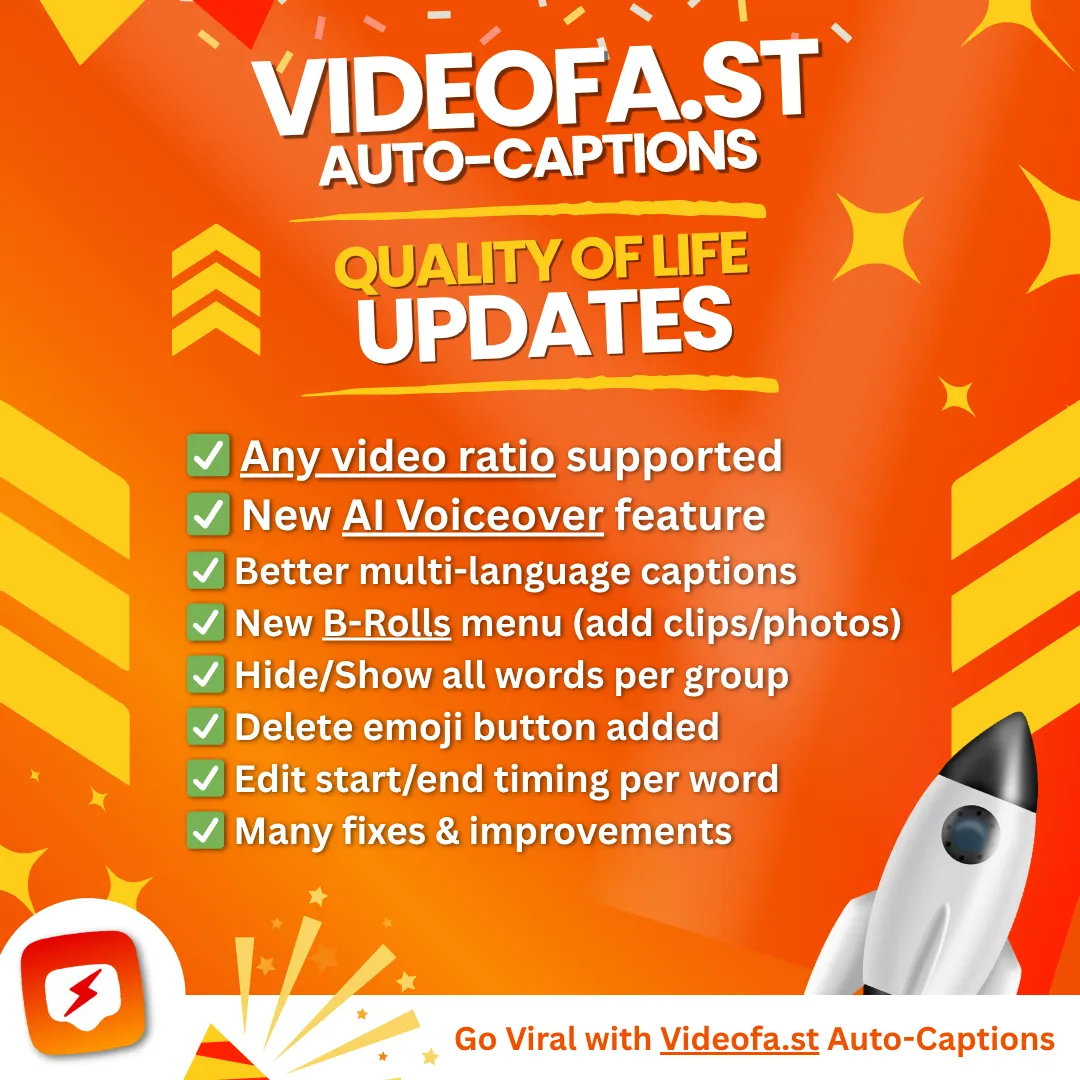
🔥 Powerful updates from the last 3 weeks:
✅ Any video size supported
✅ New AI Voiceover feature
✅ Better multi-language captions
✅ New B-Rolls menu (add clips/photos)
✅ Hide/Show all words per group
✅ Delete emoji button added
✅ Edit start/end timing per word
✅ Many fixes & improvements
✅ Improved UX on the video summary list
✅ Added thumbnails
✅ Added pagination
✅ Improved sub-tabs UX with hover background color
✅ Added save icon on the Save Current Style button
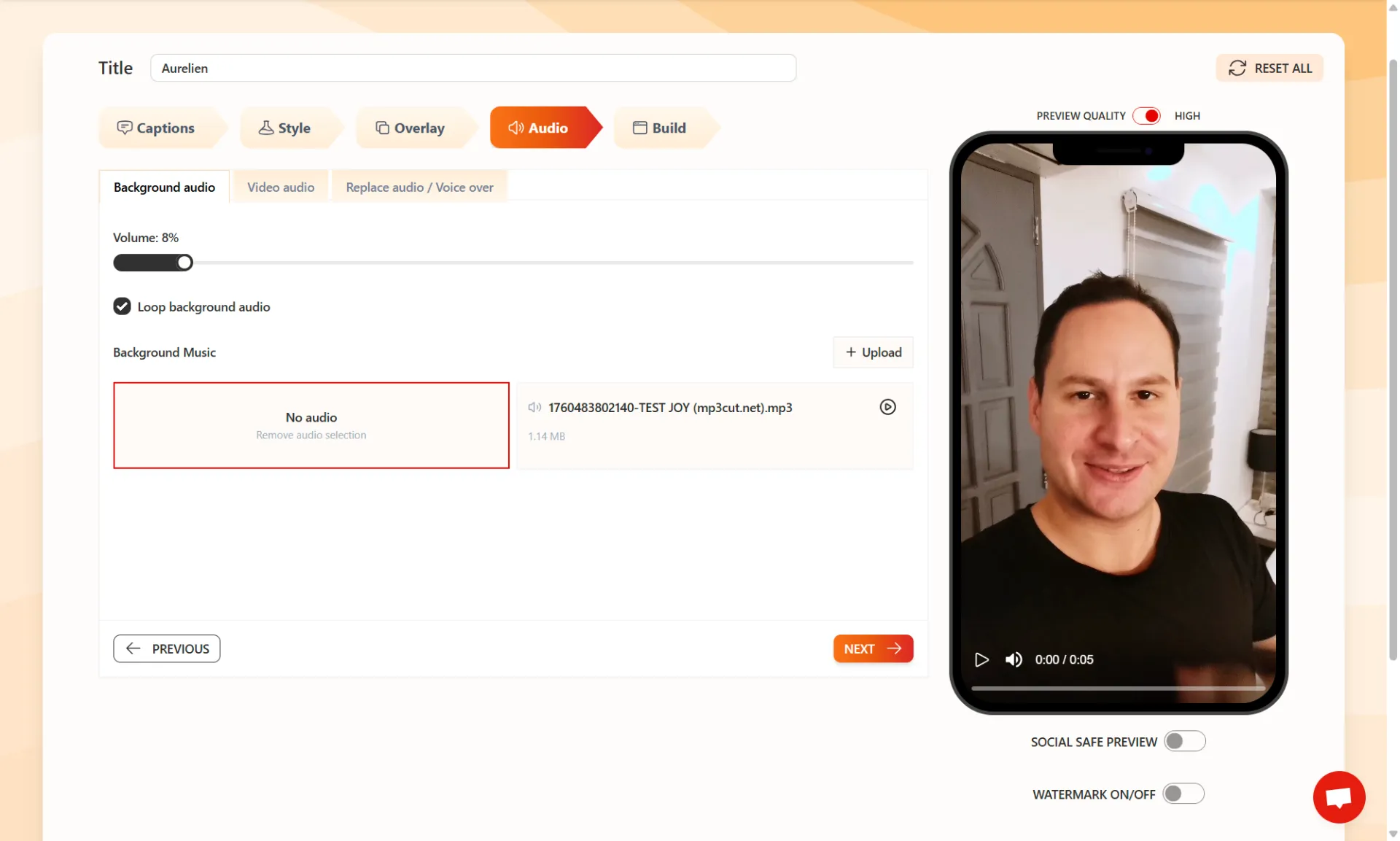
✅ Improved Audio Tab UI
✅ Added Intro/Outro mode on Overlay Tab
✅ Re-select current audio selection on Audio Tab
What if you could control every sound in your video, down to the tiniest detail?
We just added a full "Audio" tab inside Videofa.st – and it’s a total game changer.
You can now:
✅ Adjust the volume of each audio layer separately
✅ Add your own custom background music
✅ Upload a custom voice, sound or audio overlay
✅ Mute the original video audio entirely
✅ Reuse any uploaded audio file in future videos (no need to reupload!)
All your audio files are saved in your assets, ready whenever you need them!

We have just released some great updates on Videofa.st to make your editing easier and faster:
✅ New Emoji System
You can now add an emoji to each word unit group to help you editing more easily
✅ Auto Scroll and Auto Highlight
The Captions Editor now scrolls by itself and highlights the word currently playing. Very useful for long videos.
✅ Social Safe Preview
See an overlay that shows which parts of your video are safe zones for social media. This helps keep important content visible and not covered by platform buttons or text.
✅ Edit Video Name with Auto Save
You can now change your video’s name and it saves automatically.
🐞 Bug Fixes:
✅ Very long video transcriptions will now be correctly shortened based on your chosen settings.
✅ Fixed a problem where choosing the same language for both original and translated versions was still giving English.
These improvements are already live. You do not need to do anything.
Just open Videofa.st and enjoy NOW!
If you need help, you can contact us anytime on the platform or by email at [email protected]!
1300 Auto-Captions with Videofa .st 🚀🔥

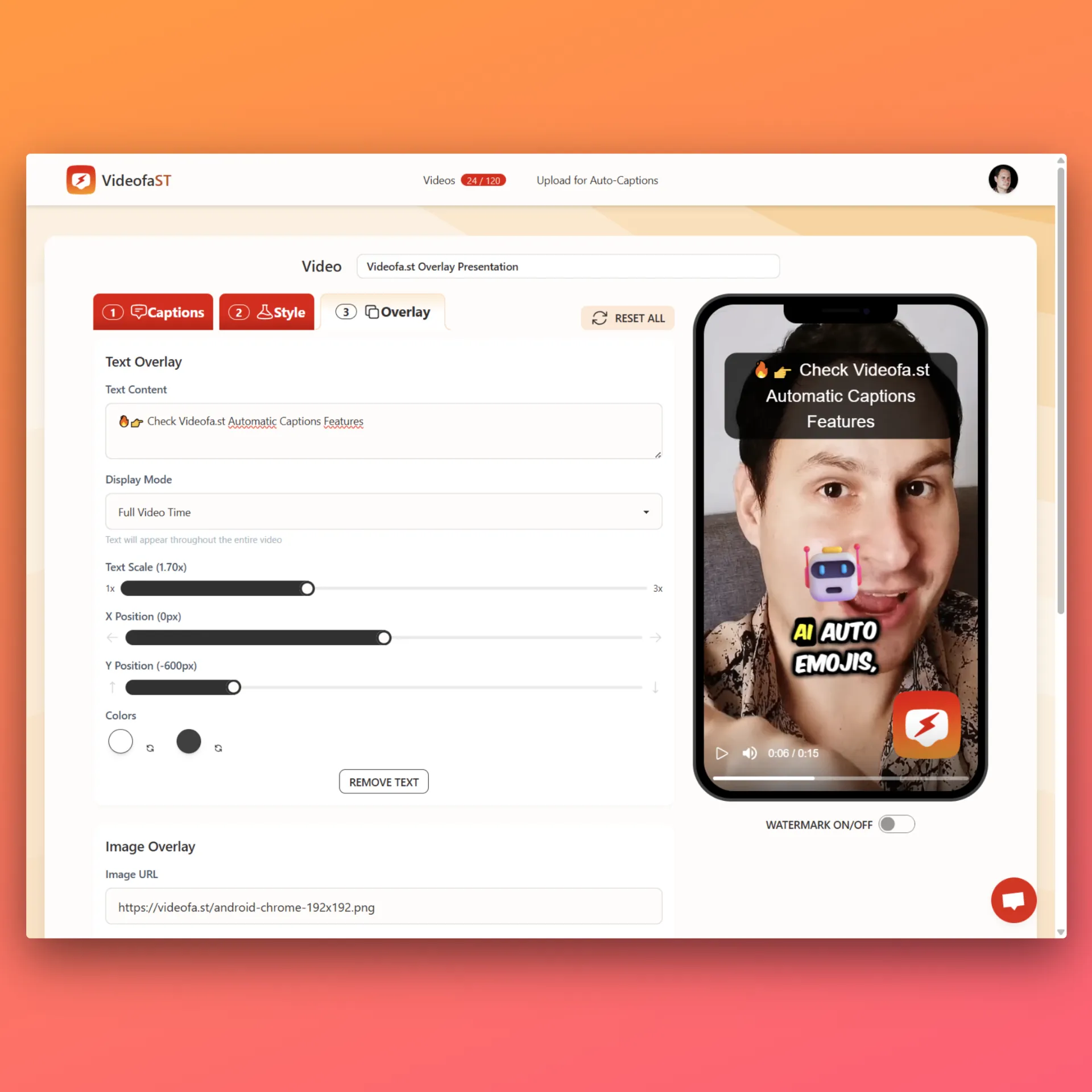
VideofaST Overlay Update – New Features!
✅ Add Text Overlay. Set timing, position, scale.
✅ Customize color + background
✅ Add Image URL Overlay (Upload coming soon)
✅ Control size, timing, and position
✅ Combine text + image
✅ Custom in/out timing
✅ Instant preview

New Fixes and Features Just Released on Videofa.st!
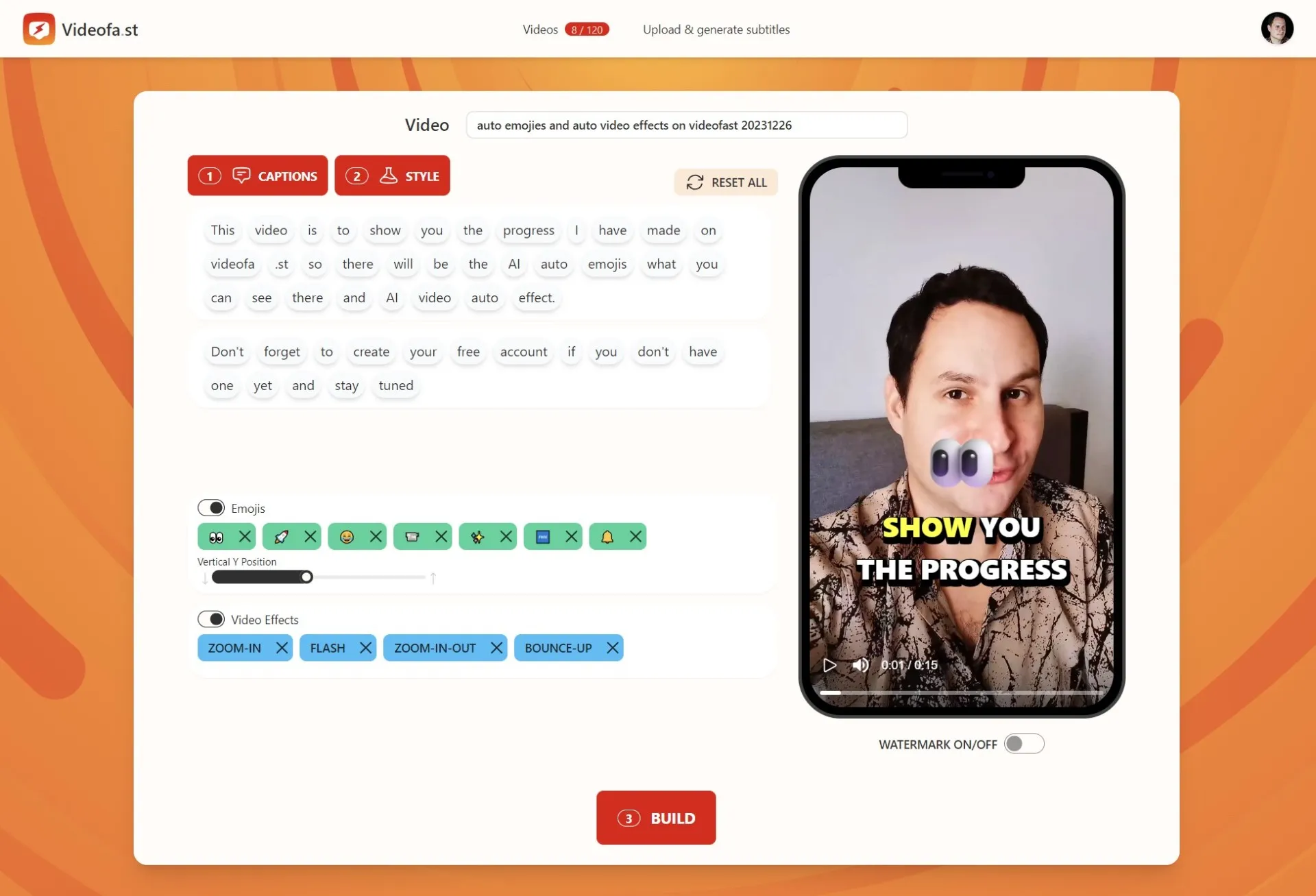
✅ Custom and themed emoji selector
✅ Faster emoji rendering in the editor and preview (with caching)
✅ Effects selector added to the captions editor
✅ Ability to hide words without deleting them in the captions editor
✅ Automatic hiding of action captions like "(singing)", "(music)", etc.
✅ Video player now stops automatically when clicking Build
✅ Automatic retry system for failed video builds caused by network issues
We just made editing short videos way more flexible.
Now inside Videofa.st, you can change AI-generated emojis and effects without starting over.
If you've ever hated an emoji or cringed at an effect, now you can fix it in seconds.
We just dropped some time-saving updates on Videofa.st 🎯
✅ Combine subtitle word blocks
✅ Add new words manually
✅ Click to show word timing
✅ Delete added blocks
They look small but they save creators like you serious time.
1200 videos generated with automatic subtitles on Videofa.st.

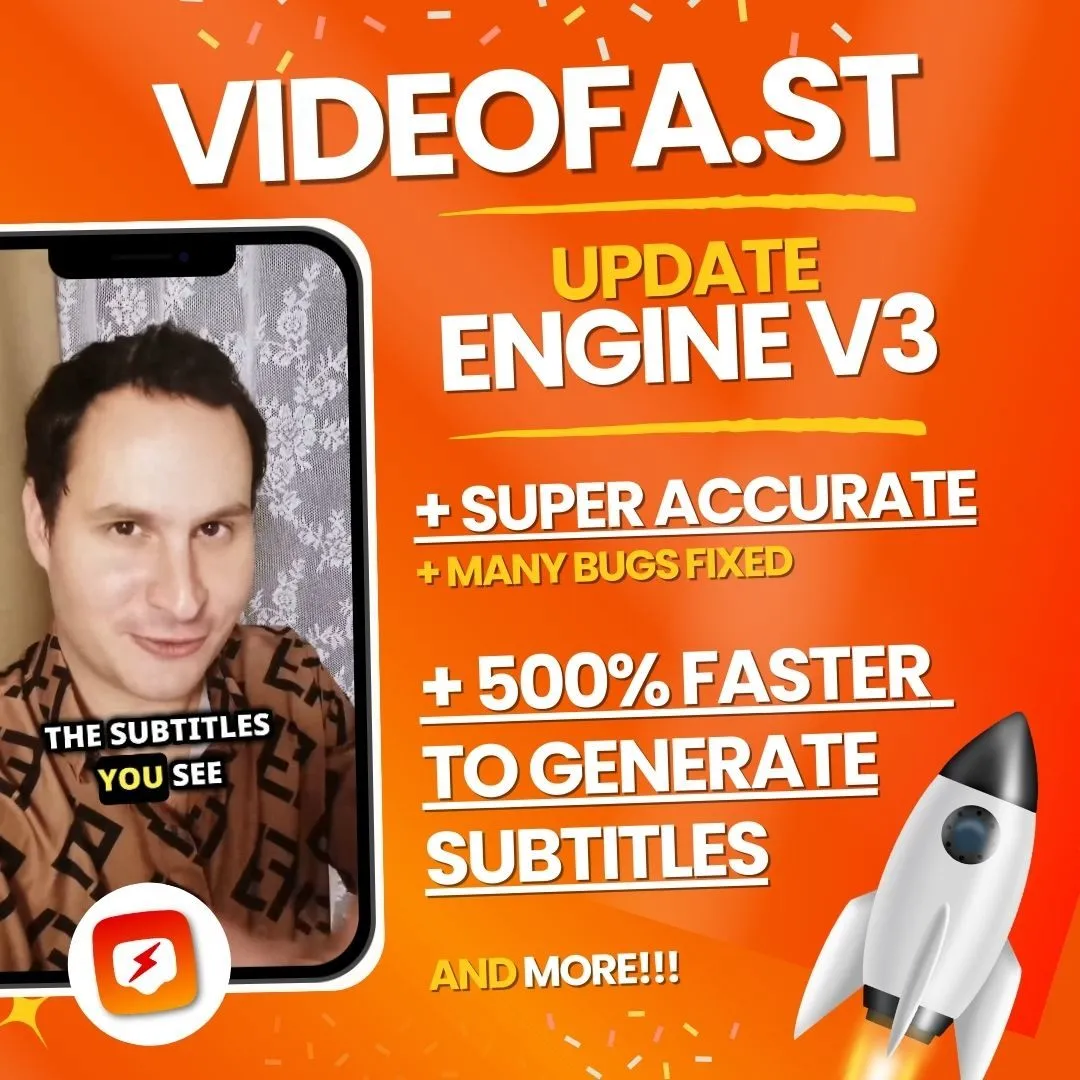
Big news! 🎉 Videofa.st Engine V3 is now live, bringing you faster, more accurate subtitles with fewer bugs.
Here’s what’s new:
✅ 500% faster subtitle generation - no more long waits
✅ Super accurate captions - fewer errors, better readability
✅ Bug fixes & improvements - smoother, more reliable performance

✅ Emojis bug fixes
✅ Video effects bug fixes
This update makes short video captioning even more effortless, so you can focus on creating, not fixing subtitles!
Try it out now and experience the difference!
👉 Update Your Videos Now at https://videofa.st/

STARTER PLAN is out!
The new Starter Plan offers:
✅ $9/month
✅ 10 videos per month
✅ 3-minute max per video
✅ 350MB file size limit
🚨 The Explorer Plan is no longer available for new users, but existing subscribers can keep it as long as they don’t cancel or upgrade.

🚀 We hit 1,000 videos with automatic subtitles on VideoFa.st!
🎉 Each video means more accessibility and connection for creators and audiences worldwide.
Thank you to everyone who’s supported us!

✨ 30 Followers on LinkedIn - 100% Organic!
Hitting 30 organic followers might seem small, but it’s a big deal for us. These aren’t just numbers, they represent people who believe in Videofa.st and are following our growth story!
We’re in transition mode, working on a rebranding that will bring a fresh name and a new .com identity! It’s all part of leveling up, and we can’t wait to reveal what’s next.
Follow us at https://www.linkedin.com/company/videofa-st/

950 Auto-Subtitles VIDEOS generated on Videofa.st 🏆💥
CELEBRATTEEE 🎉🥳

900 Auto-Subtitles VIDEOS generated on Videofa.st 🏆💥
CELEBRATTEEE 🎉🥳

850 Auto-Subtitles VIDEOS generated on Videofa.st 🏆💥
CELEBRATTEEE 🎉🥳

Did you notice some slowness recently? 💥
Videofa.st now has faster server! 🚀

800 VIDEOS with Videofa.st Auto-Subtitles generated!! 🏆💥
CELEBRATTEEE 🎉🥳

750 Videofa.st VIDEOS with Auto-Subtitles generated!! 🏆💥
CELEBRATEE 🎉🥳

700 Videos with Automatic Subtitles generated on Videofa.st!! 🏆

Almost 850 USERS on Videofa.st! 🔥🥳
CELEBRATE 🎈🎉

800 Users on Videofa.st!! 😱
CELEBRATE 🥳🎈🎉

750 users on Videofa.st! 🏆🚀🎉
We will add more Free Slots very soon 🔥

New MILESTONE: 700 registered USERS on Videofa.st 😲🚀
CELEBRATEEE!! 🔥🥳🎉

+100 Free tier slots unlocked at Videofa.st ✅
Engine is stable ⚡

650 USERS on Videofa.st 🏆
More Free Tier slots in coming days ⚡🔥🤫

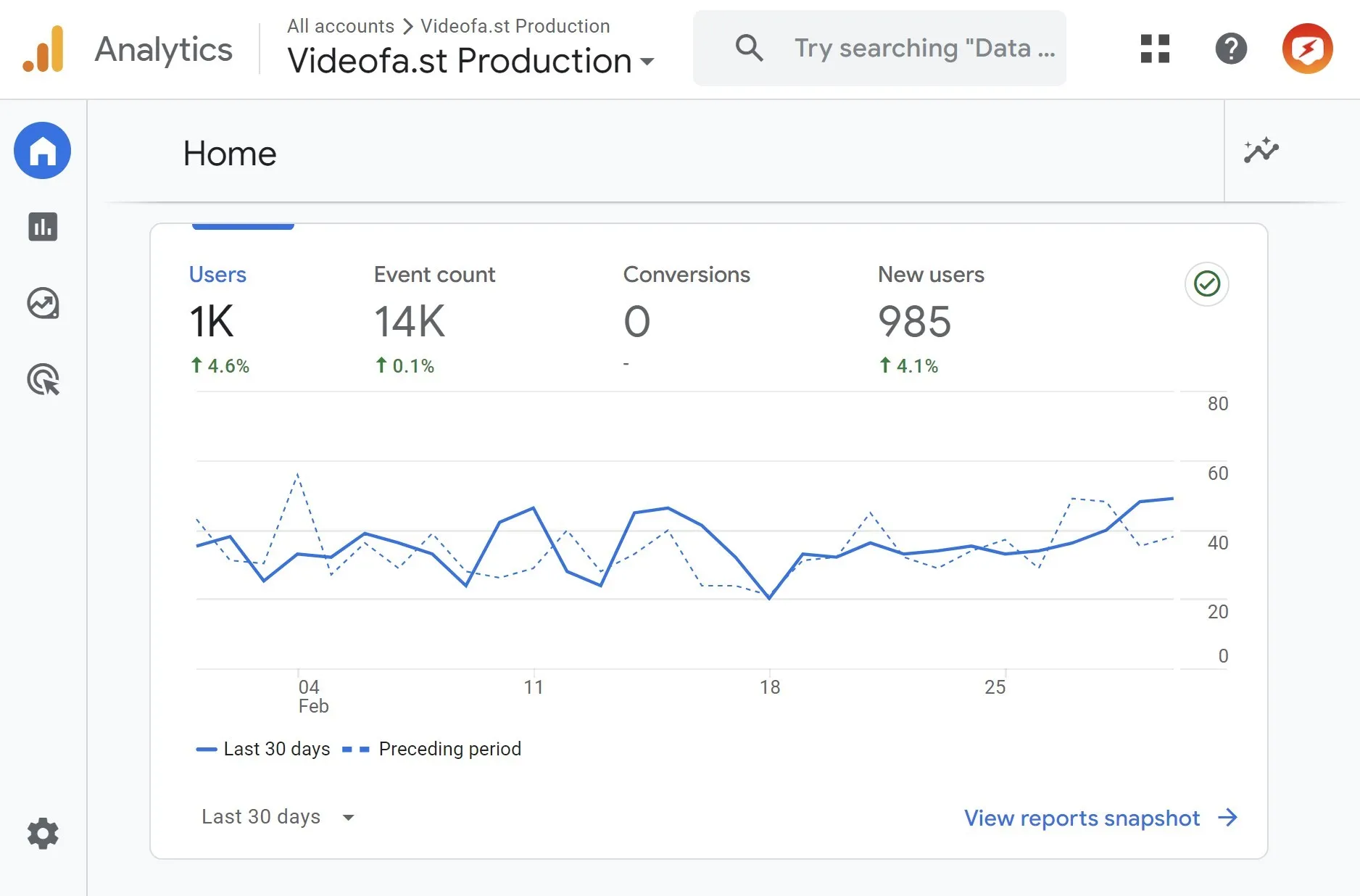
NEW MILESTONE: 1K MONTHLY VISITS ✅
1K VISITS per month on Videofa.st 🏆🚀

600 USERS on Videofa.st 🚀🔥

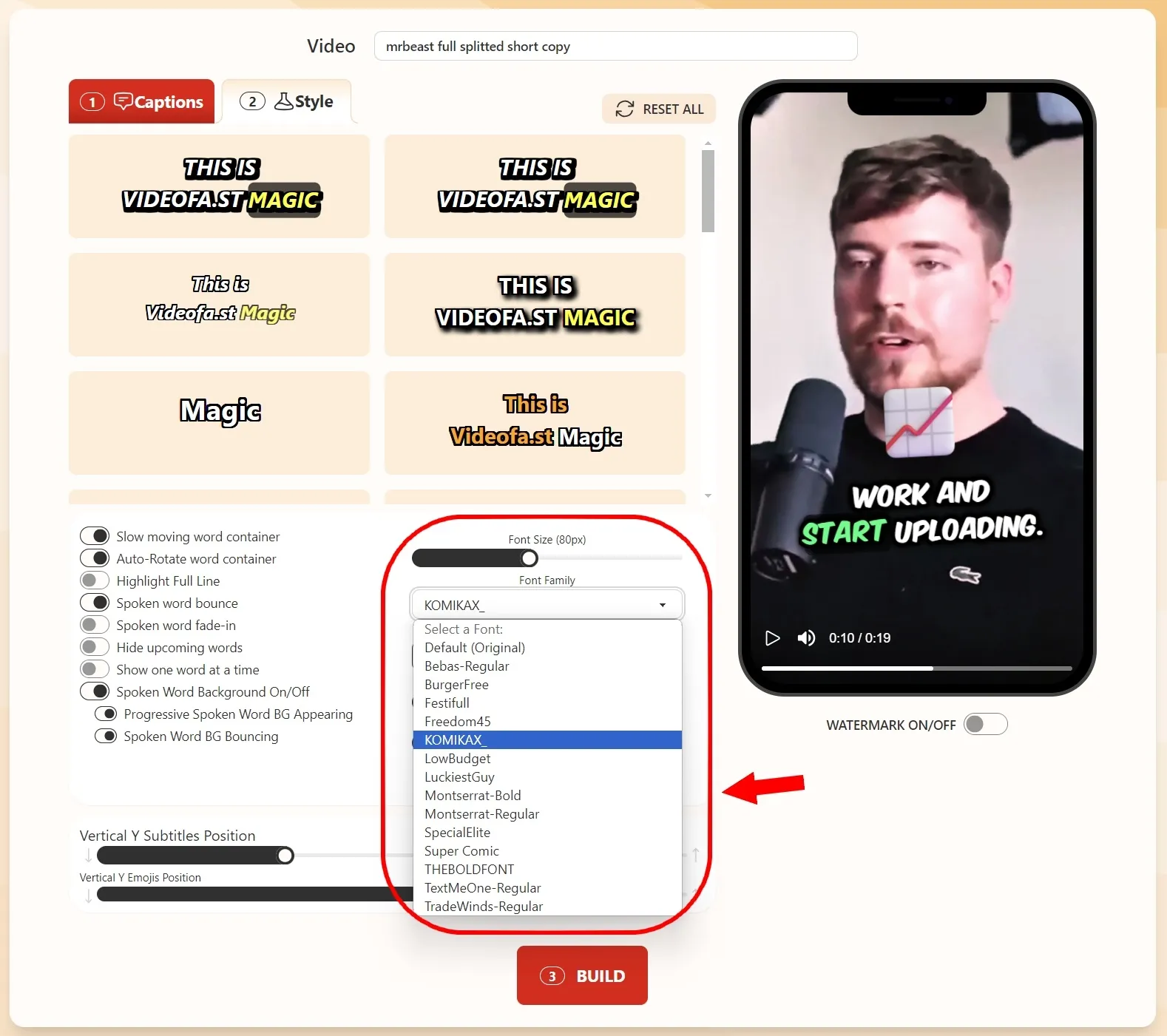
New POPULAR FONT list for the Auto-Subtitles Short Video engine 🔥🚀
✅ 15 FONTS now available on Videofa.st Video Editor

NEW sober Videofa.st Background 🤩
NEW custom FONT on the homepage video 🌟

550 USERS on Videofa.st! 🚀🏆
We will add more slots in few days 🔥

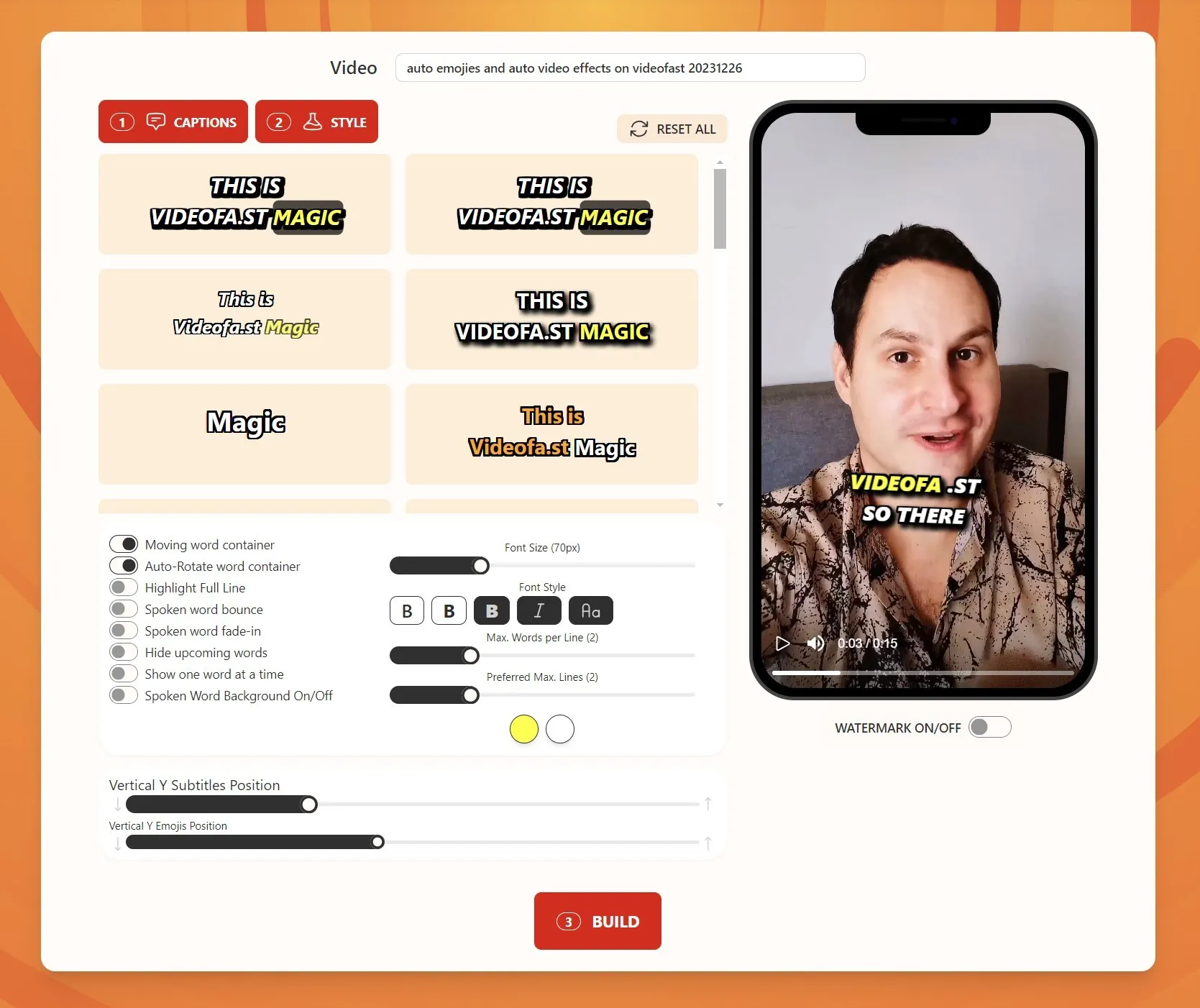
Videofa.st Video Editor STYLE & UI/UX update 😲🔥
3 NEW ANIMATIONS & new FONT STYLING OPTIONS 👇
✅ Moving Word Container animation
✅ Auto-Rotate Word animation
✅ Highlight FULL LINE
✅ Set font to BOLD, ITALIC, Uppercase & Lowercase

We've improved Videofa.st Video Editor UI/UX 😲🔥
Cleaner & Straightforward 🏆👇
✅ CAPTIONS and STYLE buttons are eyes-catching
✅ Steps are very STRAIGHFORWARD
✅ Visually more appealing

500 VIDEOFA.ST USERS!!! 🚀
We've made it!!! CELEBRATEE!!! 🔥🎉👇
✅ In less than 4 months with 0$ spent on marketing 🔥🔥

Introducing the BIGGEST Videofa.st PLAN EVER 🔥
SUPERSTAR PLAN for 500 VIDEOS monthly is now available! 🚀😲